The electronic signature with TQG Sign
TQG Sign is the solution for all your contract signing processes and can be fully integrated into the TQG businessApp cloud platform.
We offer you TQG Sign as a managed cloud service.
Benefit from end-to-end transmission security, automatic security updates and hosting in a German data centre.
TQG Sign at a glance




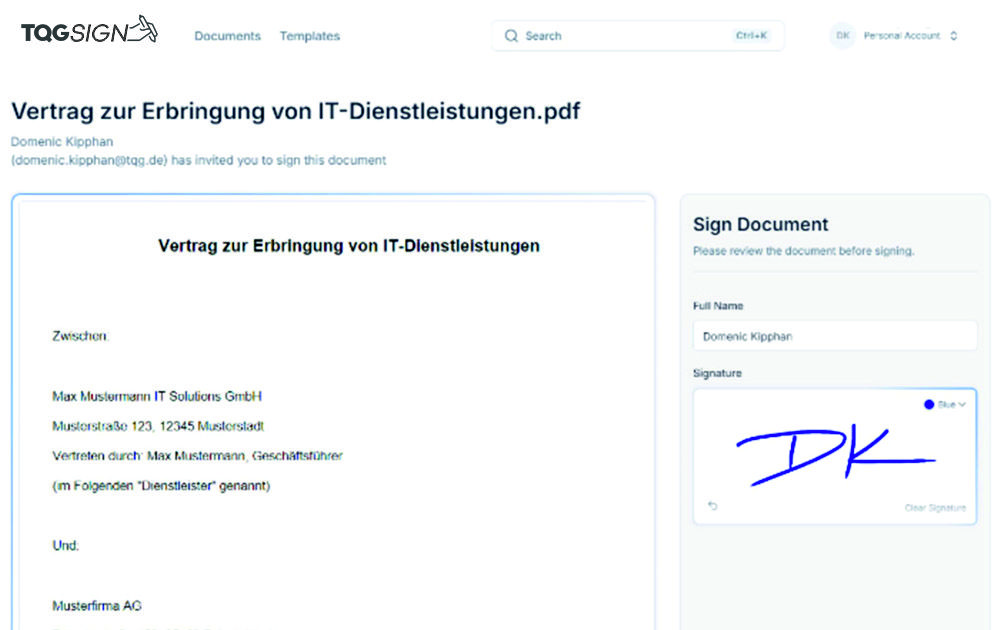
Main functions of TQG Sign
- Simple and binding signing of documents
- Signing sequence can be defined
- Automatic dispatch of the signing request
- Template management for the accelerated creation of new signature processes
- Signatures for employees in your own company and externally
- No media disruptions
- Optimized for desktop, tablet or mobile
The eSignature to support your compliance
- All processes and documents securely in one place
- Personal eSignature prevents subsequent manipulation
- Signed document including certificate saves directly in the contract management system
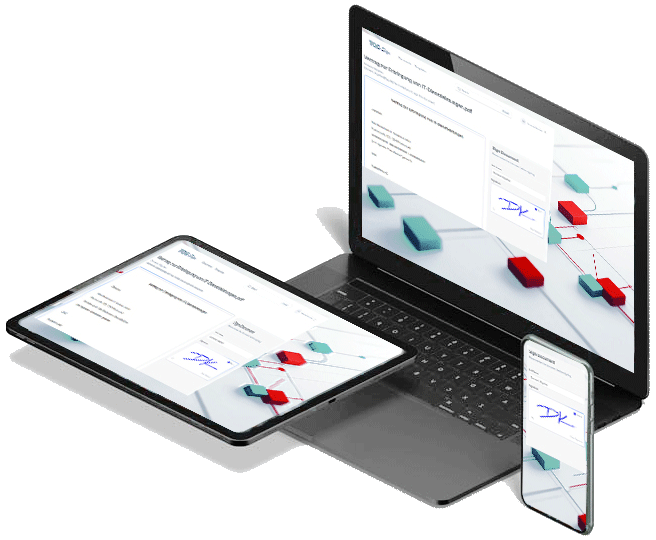
A strong team - TQG Sign and TQG businessApp
The integration of TQG Sign into the TQG businessApp cloud platform offers you significant advantages:
- Direct start in smartLCM
- Seamless transition when processing and sending the signature request between TQG Sign and smartLCM
- Automatic placement of signature fields through document templates
- During the signature process
- Status tracking directly in the smartLCM document
- Process control for signature requests can be easily used via link
- After the signature process has been completed
- No media discontinuity: the signed document is automatically saved as a new version in smartLCM
- Logging: A signature protocol (Certificate of Completion) is automatically created and stored in smartLCM in an audit-proof manner

Webinar zur eSignatur
Free webinar covering the following topics:
- How do electronic signatures work?
- How can your company benefit from electronic signatures?
FAQs on the eSignature
What is an electronic signature?
- With an electronic signature — also known as an e-signature — consent to documents can be given and recorded digitally. Technically speaking, it involves linking electronic data that makes it possible to draw conclusions about the identity of the signing person and the integrity of the signed document.
- The e-signature plays a key role in the digitalization of business processes. It prevents media discontinuities caused by handwritten signatures: Instead of printing documents, signing them manually and then capturing them digitally again, electronic signatures allow the entire process to be handled digitally. This saves costs and accelerates the process, as delays caused by manual steps can be avoided.
The 3 types of e-signature
In the field of electronic signatures, there are different forms which, as shown in the following overview, differ in terms of legal binding force and complexity.
The term “digital signature” is often used. This is a technical term referring to a class of cryptographic, i.e. mathematical, methods that can be used to create advanced or qualified electronic signatures. The term “electronic signature”, on the other hand, is purely a legal term that was first used by the European Commission in a revised draft of EU Directive 1999/93/EC in order not to tie the legal regulations to a specific technology.
- Simple e-signature: A simple electronic signature does not claim to be forgery-proof and has only limited evidential value in court. Nevertheless, this form of electronic signature is permitted / valid for form-free agreements under Section 127 of the German Civil Code (BGB). Example: Simple text or image information used to identify the author, such as a generated image caption on a document created during a process or an automatically appended email signature containing name and address.
- Advanced e-signature: The advanced electronic signature allows both the signature itself and whether the content of the document has been manipulated since signing to be verified. To create the signatures, a key is generated and provided only to the user authorized to sign. The methods used provide a high level of evidential value in court and can therefore be used effectively to replace the most common forms of business correspondence. Example: Digitally signed documents or email communication in accordance with the S/MIME standard.
- Qualified e-signature: The qualified electronic signature differs from the advanced signature in the process used to create and transfer the key used for signing. The key / certificate has a validity period and must be issued with an identity verification by a so-called secure signature creation device, e.g. a special / certified card reader.
Difference between digital signature and electronic signature
A digital signature is a subset of the electronic signature. But not every electronic signature is a digital signature. The digital signature is an encryption technology on which the electronic signature is based. Unlike an electronic signature, it is not the intention of a person to sign a document and thereby enter into a contract or agreement.
The digital signature — a set of characters subsequently inserted into a document — is used to identify the signer and, because it cannot be manipulated, changed or copied, also to confirm that the signed document has not been altered compared with the original. The digital signature can do something that the electronic signature alone cannot: it identifies the signer.
Is an electronic signature also a digital signature?
Electronic signature
- Function: Electronic signatures identify the person signing, their intention and their consent.
- Characteristics: The electronic signature is any mark placed on an electronic document.
- Encryption: The electronic signature does not use encryption.
Digital signature
- Function: The digital signature supports electronic signatures, secures sensitive data, strengthens the trust of signers and detects attempts at manipulation.
- Characteristics: The digital signature creates an electronic fingerprint.
- Encryption: The digital signature uses encryption.
Use cases for electronic signatures
Use cases for e-signatures include:
- Adding legally valid electronic signatures to contracts
- Supporting multi-stage business processes that require signatures from different authorities or roles
- Read confirmation for need-to-know / must-know information
- Secure archiving of documents
Selection criteria for the right software solution with e-signature
- Assessment of the classification of signature requirements nationally / internationally, as these result in different requirements due to the national legal bases. Examples include written-form requirements in Europe and parts of Asia/Africa. For example, written form in Switzerland is not the same as written form in Germany (ZertES / eIDAS). In Germany, written form is defined in Section 126a of the German Civil Code (BGB), which specifies the requirements for the signature.
- Assessment of the classification of software requirements according to on-premise / cloud. Where is the data stored? Do you want the documents to be signed on your own server, or is the document stored in the cloud? DocuSign, for example, is generally hosted in the US cloud.
- Inclusion of data protection requirements with regard to GDPR and the ECJ
- How is the integration and use of the signature solution planned in connections to internal / external DMS, ERP and services? Are your documents captured from one solution and combined with other systems? Integrate the signature solution into BPMN 2.0 process workflows in a digital platform such as the TQG businessApp cloud platform.
Integration of external e-signature solutions such as Adobe Sign and DocuSign
- E-signature solutions from external providers can also be integrated into smartLCM. This allows you to freely choose between TQG Sign and third-party solutions: 3rd Party Integration